· Kevin Bolger · AI & Data · 5 min read
Linking Instrument Files to LIMS Records
The raw file exists. The LIMS record exists. Connecting them is where most labs get stuck.
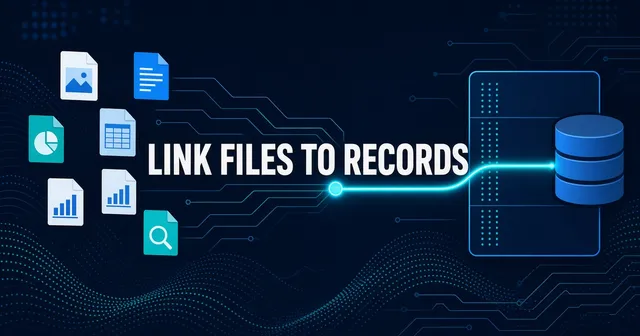
A common pattern we see in labs: the LIMS knows about samples and experiments, and the instrument generates files, but the files sit in a folder somewhere. Finding which file belongs to which experiment means asking someone who remembers, or digging through folders until something matches.
This is the linkage problem. In our experience, it’s one of the biggest blockers to making lab data AI-ready.
Why linkage matters
An AI assistant that can read files but can’t tell you which experiment they belong to has limited utility. It can summarize a CSV, but it can’t answer “show me all the assay results for compound X.” It doesn’t know that this CSV is an assay result, or that it involves compound X, because that information lives in the LIMS, not in the file.
Linkage is what turns raw files into answers. Without it, you have a pile of data. With it, you have a queryable system.
The four patterns
There are four common ways to link instrument files to LIMS records. Most labs we work with use some combination of them.
1. The identifier is in the filename
The simplest case. The instrument or the operator names files with a sample ID, batch number, or experiment code that matches the LIMS. EXP-2024-0142_results.csv links to experiment EXP-2024-0142.
This works when it’s enforced. It fails when conventions drift, when different people use different formats, or when the identifier in the filename doesn’t exactly match the identifier in the LIMS (case sensitivity, leading zeros, different separators).
To make this work at scale: parse the filenames, normalize the identifiers, and match against the LIMS. In projects we’ve done, the first pass typically catches the majority of matches. The rest need cleanup or manual review—the exact rate depends on how consistently the naming convention was followed.
2. The identifier is in the file header
Many instruments embed metadata in their output files. A mass spec writes acquisition parameters into the file header. An imaging system writes the plate ID, well position, and stain type. A sequencer includes the sample barcode.
This metadata is often more reliable than filenames because it’s written by the instrument, not typed by a person. But it’s locked inside proprietary file formats, and may not have been extracted.
To use it: identify the file types, find or write parsers for their headers, extract the relevant fields, and match against the LIMS. This is more work than parsing filenames, but the match rates are often higher.
3. The identifier is in the folder path
In many labs, folder structure is the metadata. Projects/2024/CompoundX/Batch003/PlateReader/ tells you the project year, compound, batch, and instrument. This structure often evolved organically, varies across teams, and may not be documented anywhere. But it encodes real information.
To use it: map out the folder conventions, write parsers for the paths, extract the structured fields, and match against the LIMS. You’re essentially reverse-engineering the lab’s implicit taxonomy from its file organization.
4. The LIMS has a file attachment or path field
Some LIMS allow attaching files or storing file paths. When this is used consistently, linkage is already done—you just need to export it.
In practice, it’s often incomplete. The feature exists, but people may not use it consistently, or they use it for some experiments and not others. The path field sometimes points to a location that no longer exists or uses a different drive letter.
To use it: export the LIMS data with file references, validate which references actually resolve, and use them as ground truth for matching the unlinked files.
The realistic workflow
Most labs need a combination. Here’s what the process looks like:
Export LIMS metadata. Sample IDs, experiment codes, dates, assay types, whatever identifiers might appear in files or paths.
Scan file metadata. Walk your file shares and extract filenames, paths, modification dates, file types, and (for known formats) header metadata.
Match on identifiers. Try each pattern: filename, header, path. Use fuzzy matching for near-misses (different case, extra characters, truncation).
Review and fix. Some files won’t match. Some will match wrong. Review the results, fix the obvious errors, and flag the ambiguous cases for manual resolution.
Store the links. Once you have good matches, store them somewhere queryable. A simple table: file path, LIMS record ID, link type, confidence score.
Maintain going forward. New files come in daily. Build the matching into a pipeline so new data gets linked automatically, and exceptions get flagged for review.
This sounds like a lot of work. It is. But it’s finite work. Once the linkage exists, querying becomes trivial.
What this enables
With linkage in place, you can answer questions:
- “Find all results for compound X in the last six months”
- “Show me the raw data for experiment EXP-2024-0142”
- “Which batches had yield below 80%?”
- “Get the imaging files for the breast cancer cohort”
You can also connect an AI assistant. The assistant queries your linked metadata layer. The layer knows which files belong to which experiments. The assistant gives useful answers instead of confident nonsense.
The hard truth
No software product alone will do this for you. The linkage is specific to your lab, your file naming conventions, your LIMS schema, your folder structure. Software can help automate the matching, but someone still needs to understand your data and map the relationships.
What you can buy is help doing the work. What you can’t buy is skipping the work entirely.
If your data needs linking, our AI Data Readiness service includes metadata extraction, identifier matching, and building the linked layer that makes everything queryable.